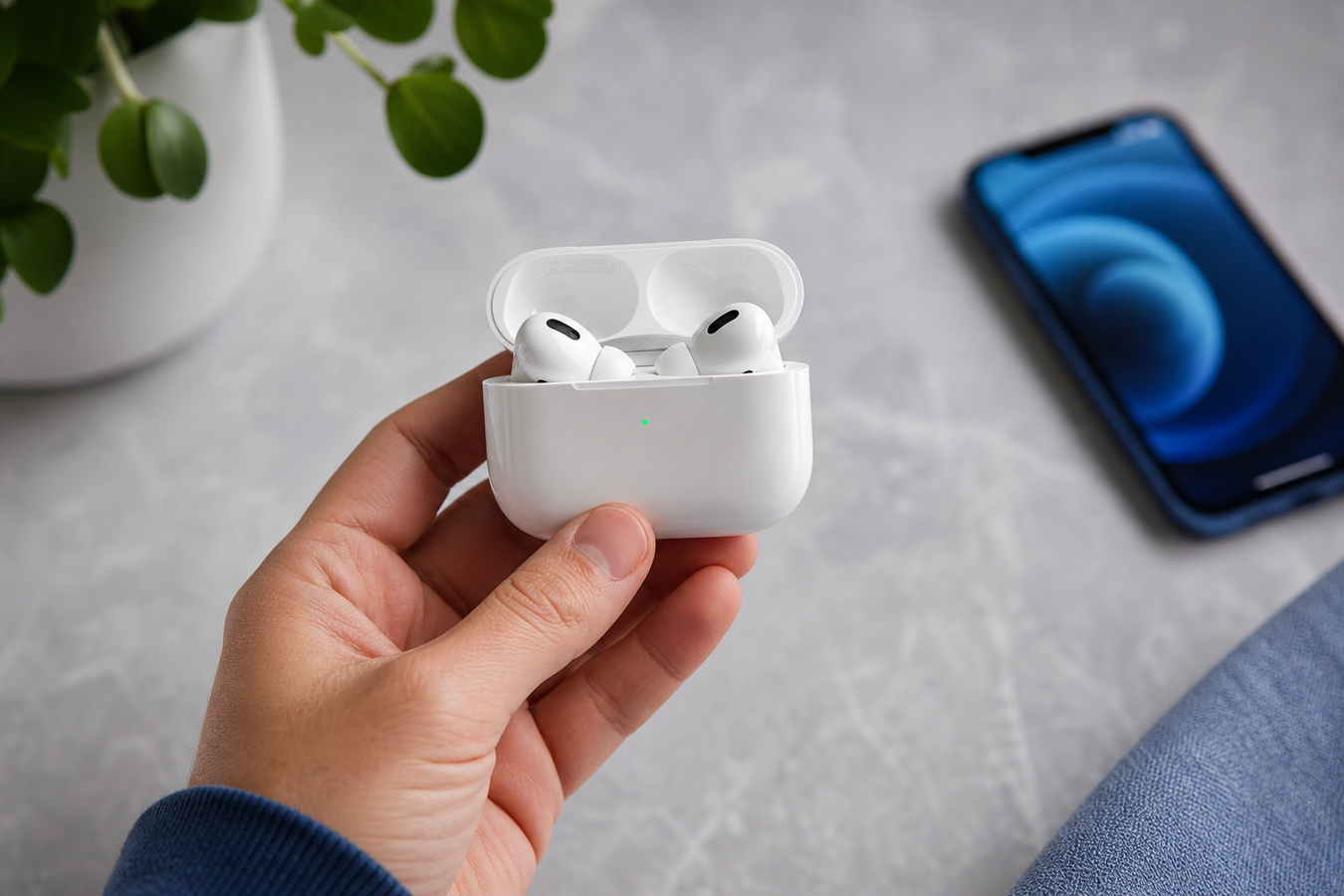
Want to check the battery on your AirPods and charging case? Grab your iPhone and follow the steps below to see both battery percentages.
How to check your AirPods case battery on iPhone
The pop-up on your iPhone is the quickest way to check the battery when you have your AirPods with you. Here’s how to bring it up:
-
1
Unlock your iPhone and turn on Bluetooth:
Make sure you’re on the Home Screen and Bluetooth is on in Control Center. The pop-up only appears when there’s an active connection.
-
2
Hold the charging case near your phone:
Hold the charging case close to your iPhone.
-
3
Open the lid with the earbuds inside:
Leave both earbuds in the charging case and open the lid. If you take them out, the screen only shows the battery level of the earbuds.
-
4
Check the pop-up:
A window slides up from the bottom of the screen. It shows the exact battery percentages for the earbuds and charging case.
Use this method when you have the charging case in hand and want to know whether it needs a charge. If the pop-up doesn’t appear, close the case, wait three seconds, and try again. Your iPhone alerts you when the earbuds’ battery drops below 20 percent.
Use the Batteries widget on iPhone
Add the Batteries widget to your Home Screen to keep an eye on the charge without opening the case each time. It shows the battery levels of your Apple devices at a glance.
Edit your Home Screen: Touch and hold an empty spot until the app icons jiggle. Then tap the plus sign in the upper-left corner.
Find the widget: Search for “Batteries” and pick a size. The medium and large sizes show icons for your connected accessories alongside their battery percentages.
Place the widget: Drag it to your first Home Screen or to Today View. That way, you can see whether your MagSafe Charging Case needs a charge before you leave.
Check the reading: Leave at least one earbud in the MagSafe Charging Case or open the case near your iPhone. The widget remembers the most recent reading.
The Batteries widget is handy for checking the charge throughout the workday. If the case has been closed in your bag for hours, the widget may still show an old reading until you refresh the connection.
Check the battery on a Mac or Apple Watch
You can check the battery level on macOS or watchOS without reaching for your iPhone.
Check on your Apple Watch
-
1
Swipe up from the watch face to open Control Center.
-
2
Tap your watch’s battery percentage.
-
3
Scroll down to “Accessories” to see the charging case battery level.
Use this method during a workout when your iPhone is in your locker. Control Center shows the battery level when the earbuds are connected via AirPlay.
Check on your Mac
-
1
Open the charging case lid or take out the earbuds.
-
2
Click the Bluetooth or AirPods icon in the upper-right corner of the menu bar.
-
3
Read the remaining battery percentages in the drop-down menu.
Check on your Mac when you’re already at your desk. If you’re in a hurry, bear in mind that the Bluetooth menu can take a few seconds to update after you open the lid.
What does the light on the AirPods charging case mean?
The small LED on the front of the case, or inside on older models, gives you a quick idea of the charge level. Its meaning depends on whether the earbuds are in the case.
Status light color |
Earbuds in the case |
Earbuds out of the case |
|---|---|---|
Solid green |
The earbuds are fully charged. |
The charging case is fully charged. |
Orange or amber |
The earbuds are charging from the case battery. |
The case has less than one full charge remaining and needs to be recharged. |
Orange (while charging by cable or wirelessly) |
The case and earbuds are receiving power. |
The case is charging. The status light turns off after a few seconds, but charging continues. |
Flashing white |
Ready to pair with a new device via Bluetooth. |
Pairing requires the earbuds to be in the case. |
Check the status light if you want to know whether to take a charger with you. If the light is orange when the case is empty, plug it in or place it on a wireless charger. The light is especially useful when you don’t have a paired screen nearby.
AirPods charging FAQs
How can I check the charging case battery hands-free?
Ask Siri, “How much battery does my AirPods case have?” for a spoken answer. Be specific. If you just ask about the battery, Siri reads out your iPhone’s percentage. This is handy when your hands are busy, such as when you’re cooking or cycling.
How does Optimized Battery Charging extend battery life?
Optimized Battery Charging learns your charging routine and pauses charging at 80 percent. It finishes charging the earbuds shortly before you usually use them. This reduces battery wear. You’ll find the option in the Bluetooth settings for AirPods Pro or newer models. If you work irregular hours and always need a fully charged case, you can turn the feature off.
Why can’t I see maximum battery capacity in Settings?
Apple currently offers no built-in battery health reading for the earbuds or charging case like the one on iPhone. You may notice wear when the case drains faster or low-battery alerts appear more often. If capacity drops below 80 percent, you may qualify for replacement under AppleCare+. That means a replacement set instead of a separate battery swap.
Protect your charging case so it lasts longer
Along with good charging habits, protecting your accessories from damage helps them last. Drops and temperature changes can damage the components inside the battery.
Choose shock-absorbing materials: Mobigear and Burga make protective cases in sturdy silicone or polycarbonate. These materials absorb the impact if you drop the charging case and help protect the charging contacts inside.
Protect the port from scratches and dirt: A snug case keeps dust and pocket lint away from the Lightning or USB-C port. Dirt in the port is the most common cause of problems when charging AirPods by cable.
Check wireless charging compatibility: Look at the thickness of the protective case before buying. A case thin enough to avoid interfering with the MagSafe Charging Case’s magnetic field can stay on while the case is on the charging pad.
Get a better grip: The smooth finish of the charging case can slip out of your hand. A textured case or one that comes with a carabiner can help prevent drops.
The iPhone pop-up and the status light help you know when it’s time to recharge. The widget lets you keep track of the charge, and Optimized Battery Charging helps extend battery life. Find AirPods cases and AirPods accessories at directcases.com to protect your charging case from drops and scratches.