To share iCloud storage with your family, turn on Family Sharing in Settings on your iPhone or iPad. Once you’ve set up your family group, you can share an iCloud+ subscription among up to six people.
If several family members are running out of space, a shared plan can help you avoid paying for separate subscriptions. The group shares the storage space, while each person’s photos and files stay private.

What do you need to share iCloud storage?
You’ll need an active iCloud+ subscription with at least 50 GB of storage or an Apple One Family plan. Apple One bundles storage with other services. The Family plan includes Apple Music, Apple TV+, Apple Arcade, and 200 GB of iCloud+ storage. An adult sets up the group through Family Sharing and becomes the family organizer. The organizer pays the bill and needs a valid payment method.
A family group can have up to six people. Each member needs their own Apple Account to use the shared iCloud storage. You can use iCloud storage on your iPhone, iPad, and Mac with the same Apple Account. Use Apple devices with a recent version of iOS, iPadOS, or macOS. An account from another provider can’t join the shared storage plan.
How does Apple Family Sharing work, and what do you share?
Family Sharing lets up to six people share one pool of storage. Everyone’s files stay separate.
Everyone draws from the same iCloud+ storage allowance, such as 200 GB or 2 TB.
Each member gets access to privacy features like iCloud Private Relay and Hide My Email.
Your documents, device backups, and app data stay private.
Each person keeps their own Apple Account and private space. HomeKit Secure Video can be one of the shared iCloud+ features.
Purchase Sharing is separate. You can share iCloud storage with Purchase Sharing turned off.
The family organizer can see how the group uses the storage. A bar in Settings shows the share used by each member.

Can family members see each other’s photos and files?
Whether you keep a passport scan or a stack of screenshots on your phone, those files stay private when you share storage.
Everyone signs in with their own Apple Account, so Apple keeps each person’s data separate. iCloud stores the data in encrypted form. Other group members can’t see your private photos, messages, or documents just because you share the same storage plan.
If you want to show your family vacation photos or ask your partner about new iPhone cases, you can set up a Shared Photo Library or a Shared Album for those pictures. Your private files stay separate from anything you choose to share.
Setting up a Shared Album is a separate choice. Photos and videos in Shared Albums don’t count toward your iCloud storage. Use an album for photos everyone can see and keep personal documents and private photos in your own iCloud account.
How do I share storage with my family?
Set up Family Sharing on your device before sharing your iCloud storage.
-
1
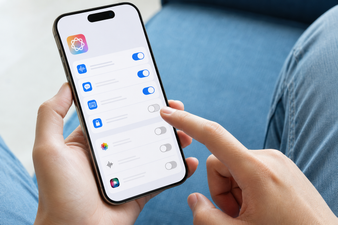
Open the Settings app on your iPhone or iPad and tap your name at the top.
-
2
Choose Family or Family Sharing, then tap Get Started. On a Mac, invite family members through System Settings.
-
3
Follow the onscreen instructions. When you create the family group, your Apple Account becomes the family organizer.
-
4
Choose the option to invite others. Family members can accept or decline the invitation on their own device, including later if they need more time. You can create a child account here for a younger family member who doesn’t have an email address. You can then add and manage child accounts through Screen Time.
Step 2: Share your iCloud+ subscription with your family
Once you’ve created the family group, turn on sharing for your existing storage so the other members can use it.
-
1
Open Settings again, tap your name at the top, and choose Family.
-
2
Tap Subscriptions, then iCloud+.
-
3
Select the iCloud+ subscription you’re already paying for and want to share.
-
4
Turn on sharing to give the family members you just added access to the storage.
The whole family uses one iCloud+ storage allowance, and everyone keeps their own Apple Account.
Once you turn on sharing, family members can use the shared storage in place of their free 5 GB.
If a family member already pays for iCloud storage, they can switch to the family plan and drop their separate subscription.
If the shared storage fills up, you can upgrade your iCloud+ plan. First check who is using the most space. Videos and old device backups can take up space you could free up.

Why isn’t iCloud storage sharing working?
If your family still can’t access the storage after you’ve followed the steps, check the following:
Check your country or region settings. Your family member’s App Store region must match yours.
Check whether the iPhone or iPad is running an old version of iOS or iPadOS. It may need an update for sharing to work.
Check whether the invitation is still pending. Your family member needs to accept it in Settings before they can use the extra storage.
Check the payment for the family organizer’s iCloud+ subscription. Resolve any payment issue first. Storage sharing requires an active iCloud+ subscription.
A family member can still get a storage warning when the shared space is nearly full. The family organizer can check in iCloud+ to see who’s using the most space.
Frequently asked questions
What if a family member already pays for iCloud storage?
When they switch to the shared storage, Apple cancels their old subscription and automatically refunds the unused portion of the month. Their photos, backups, and files stay in their personal iCloud account.
How much does it cost to share iCloud storage with my family?
The family organizer pays one set price for a 200 GB or 2 TB plan that up to six people can use. The Apple One Family plan, which includes 200 GB of storage, is another option.
How can I see who’s using the most iCloud storage?
In Settings, tap your name, then Family, Subscriptions, and iCloud+. A bar shows the share of storage each family member uses.
How can I share all my photos with my family?
Sharing iCloud storage doesn’t automatically share your photos. To share them, set up a Shared Photo Library or Shared Album in the Photos app. You can keep private photos in your own library.
What happens if I cancel the iCloud+ subscription?
Canceling the subscription ends storage sharing. Family members lose access to the shared space and need to manage their own storage or get their own subscription.
With a shared iCloud plan, everyone’s photos and files stay private. To get started, open Settings on your iPhone and turn on Family Sharing for your household. You can also find a phone case to protect your device at directcases.com.