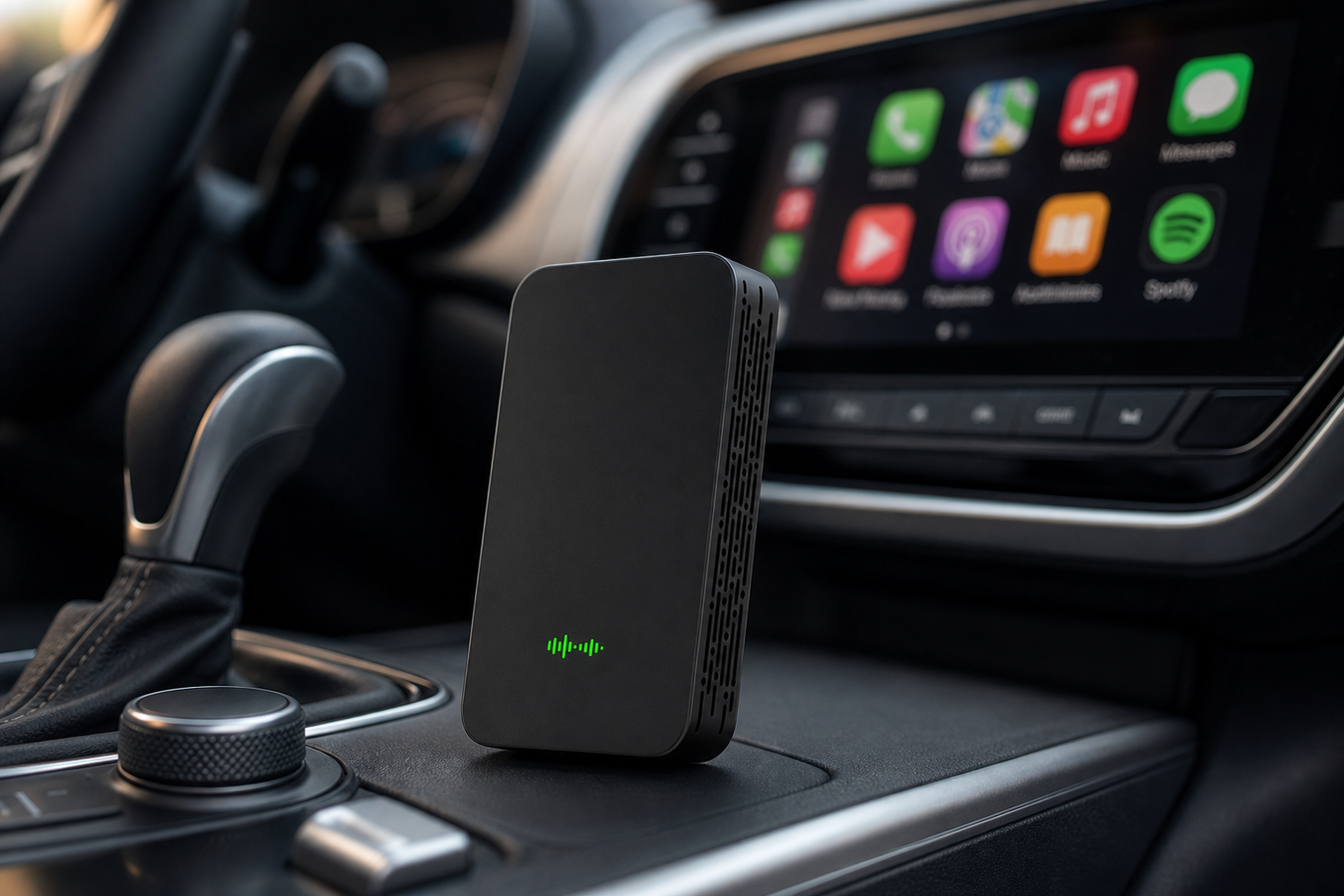
Tired of the charging cable getting in the way every time you get in the car? Taking your iPhone out of your pocket to plug it in for every short trip gets old fast, especially if a worn cable keeps disconnecting. A wireless CarPlay adapter lets you keep your existing infotainment system and use Apple CarPlay without plugging in your phone. We look at the options and walk you through a setup that takes about five minutes.
What is Apple CarPlay, and why use it wirelessly?
Apple CarPlay lets you use key iPhone features on your car’s infotainment display while driving. You can control navigation, music, and incoming calls from the dashboard touchscreen and open apps that support CarPlay. CarPlay requires iOS 7.1 or later and works on nearly every model from the iPhone 8 onward.
In most cars, CarPlay uses a wired connection by default. You plug in a USB cable, set your phone in the center console, and wait for CarPlay to start. That works fine on long drives, but it feels like an extra step on a quick trip to the grocery store or gym. It’s also easy to leave your phone in the car, and frequent plugging and unplugging can wear out its port.
With wireless Apple CarPlay, your car recognizes your iPhone over Bluetooth and Wi-Fi when you start the engine. Your phone can stay in your pocket or bag. That’s handy if you make a lot of short trips or want to keep your dashboard tidy.
How do you make wired CarPlay wireless?
You can keep your current car and use a compatible CarPlay adapter to turn wired CarPlay into wireless CarPlay. The adapter connects your iPhone to your existing infotainment system.
Plug the compact Bluetooth adapter into your car’s USB data port once. The adapter communicates with the car through a short cable and connects to your iPhone over Wi-Fi and Bluetooth. This gives you a wireless setup at a fraction of the cost of a built-in module. Popular models typically cost between €65 and €120.
Before you buy an adapter, check that your car came with wired CarPlay. If CarPlay starts when you plug your phone in, you can upgrade to wireless. If your car doesn’t already support wired CarPlay, this type of adapter won’t add it.

Benefits of a CarPlay adapter
A wireless adapter makes a difference on everyday drives. Here are the benefits drivers tend to appreciate most:
A tidier dashboard: There’s no loose USB cable near the gearshift, and the center console has room for sunglasses or keys.
Automatic connection: Your music or navigation starts within 10 to 15 seconds of starting the engine, without having to plug anything in.
Your existing controls still work: The steering wheel buttons, volume controls, and touchscreen work as usual.
Quick access to Siri: Siri responds through your car’s microphone, so you can send a message or set a destination hands-free.
Less port wear: Your iPhone’s charging port can last longer when you aren’t plugging it in for every drive.
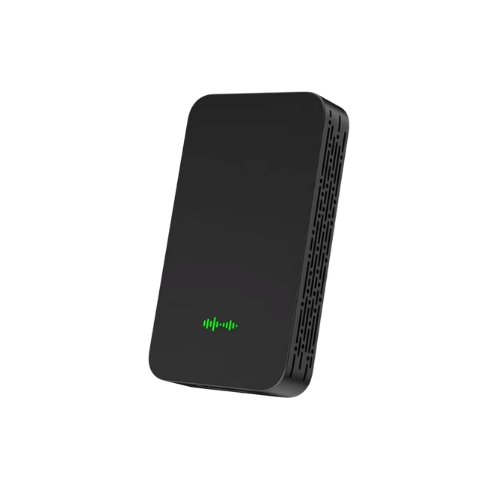
Mobigear wireless CarPlay adapter
The Mobigear Wireless CarPlay Box turns an existing wired Apple CarPlay system into a wireless one. The compact black adapter starts quickly and keeps the connection stable, so you can leave your phone unplugged when you get in. It comes with the cables you need and is small enough to tuck away in your center console. It’s designed exclusively for iPhone users who want wireless navigation and music without noticeable audio lag.
What should you check before buying a wireless CarPlay adapter?
Adapter compatibility varies by car. Check these details before you buy:
Check your USB port: Find out whether your car has a wider USB-A data port or a newer USB-C port. Many adapters include both cables. Check the package to see what comes with yours.
Check the compatibility list: Look for your car’s make and model year in the manufacturer’s specifications. There can be exceptions, especially for cars built before 2017.
Check the operating system: This Mobigear box is designed for Apple CarPlay and only works with an iPhone. It doesn’t support Android Auto.
Check the dimensions: Measure the space in your center console or glove compartment. A large adapter may be harder to tuck out of sight.
Check the iOS requirements: Make sure your phone is up to date. Most newer adapters require at least iOS 10 for a stable connection.
How to set up CarPlay and connect your iPhone
The adapter is plug-and-play, so you won’t need tools or technical experience to set it up. Follow these steps to connect your iPhone:
-
1
Find the right USB port:
Plug the adapter into your car’s USB data port. It’s often marked with a smartphone icon. A charge-only port won’t work for this.
-
2
Wait for the startup screen:
Turn on the ignition. After a few seconds, the adapter menu appears on your infotainment screen.
-
3
Get your iPhone ready:
Open your iPhone settings and check that Bluetooth and Wi-Fi are on. Temporarily disconnect from other networks.
-
4
Pair over Bluetooth:
Find your adapter’s name in the Bluetooth menu and tap it to connect.
-
5
Grant permission the first time:
When the prompt appears, allow your contacts to sync, then select the option to use CarPlay.

If pairing doesn’t work right away, go to Settings > Screen Time > Content & Privacy Restrictions. Make sure CarPlay is enabled under Allowed Apps & Features. That setting can prevent CarPlay from connecting.
Frequently asked questions about wireless CarPlay
Can I add CarPlay to an older car without a built-in screen?
Yes. You’ll need more than a CarPlay adapter. You can replace the original radio with an aftermarket unit that has a built-in touchscreen and supports CarPlay. Another option is a standalone CarPlay screen that mounts on the dashboard with a suction cup and connects to your car speakers through an AUX cable or an FM transmitter.
Do navigation apps such as Google Maps or Flitsmeister work without lag?
With a good adapter, you shouldn’t notice any lag while navigating. The Wi-Fi connection can send navigation updates and speed camera alerts to your screen in real time. When you skip a song in Spotify, you may notice a delay of around half a second, which is normal for wireless audio streaming.
Will wireless CarPlay drain my iPhone battery quickly?
Wireless CarPlay uses more power than a wired connection because Wi-Fi, Bluetooth, and GPS stay on. On drives under an hour, the difference is small. For drives longer than two hours, we recommend putting your phone on a wireless car charger or plugging it into a fast charger.
You can use wireless CarPlay in your current car with a compact adapter. Check whether your car supports wired CarPlay, then choose one of the compatible adapters covered above. Fast delivery.