You can use two WhatsApp accounts on one dual SIM phone as long as you have an active phone number for each account. WhatsApp links each profile to a phone number, regardless of the physical SIM card.
To keep work and personal messages separate, use the built-in multiple accounts feature, WhatsApp Business, or app cloning. The best method and the setup steps depend on whether you use an iPhone or Android phone.
Why use WhatsApp for work and personal messages on a dual SIM phone?
You only need to carry one phone. With a dual SIM phone, you can manage work contacts and group chats with friends from the same screen.
Two active numbers on one phone are especially handy. For example, you might use a physical SIM for your personal number and an eSIM for work. Each WhatsApp account is tied to its phone number, regardless of the SIM card. Chats, profile pictures, and notifications stay separate. If you work for yourself, that makes it easier to handle customer questions during the day and check personal messages in the evening.
If your phone breaks, you can lose access to both accounts at once. Protecting your dual SIM phone matters even more if it holds your work number and important chats. For example, you could use a sturdy, understated Mobigear phone case. It cushions bumps and looks smart in meetings.
Choose a phone case with card holder if you keep a building pass or payment card with your phone. A screen protector is useful if you often call or text on the go. A cracked screen can make both WhatsApp accounts harder to use.
Keeping everything on one phone can leave you reachable around the clock. Mute notifications for your work WhatsApp account after hours and on weekends. That helps you keep work and personal time separate without carrying an extra device.
How do I set up WhatsApp’s built-in multiple accounts feature?
On supported devices, the regular WhatsApp Messenger app lets you use up to two accounts without installing a second app. The built-in WhatsApp multiple accounts feature keeps both accounts in one app. Cloning creates a separate copy of the app on your phone. With the built-in feature, you can switch between numbers from a single menu.
If you don’t see the option, your phone or WhatsApp version doesn’t support it yet. Use WhatsApp Business for your second number or clone WhatsApp on an Android phone. The built-in option uses less storage than a second copy of the app and keeps both accounts easy to find.
Here’s how to add your second account:
-
1
Open Settings in your current WhatsApp app.
-
2
Tap the arrow next to your profile name or look under Account for the option to add another account.
-
3
Enter your second phone number. Make sure it’s active so you can receive a verification code by text or phone call.
-
4
Switch profiles. Once WhatsApp accepts the code, tap your other profile in the menu to switch accounts.
-
5
Check the notifications for each account. Give your work account a distinct sound or mute it outside working hours so you can take a break over the weekend.
Do I need an active SIM card or eSIM for both WhatsApp accounts?
If you install a data eSIM for a business trip, you may run into trouble when you try to use it to register another WhatsApp account. Check these points before you start:
WhatsApp uses your phone number to identify your account, regardless of which SIM provides your internet connection.
Each account needs its own active number. You can use a physical SIM card or an eSIM.
If you use two physical SIM cards, make sure your phone supports dual SIM and has two SIM slots.
If you want to pair a physical SIM card with an eSIM, check that your phone supports eSIM.
Make sure you can receive messages or calls on the second number. During setup, you’ll receive a one-time verification text or call. You need that code to activate the account.
A data eSIM works for WhatsApp messages and calls, but it often can’t receive texts on the number you want to register. Keep your regular number available for verification.
If you’re using a travel eSIM, use it for data and register WhatsApp with a number that can receive the code.
Once you’ve verified the number, WhatsApp Messenger and your second account can use the internet via any active SIM, eSIM, or Wi-Fi connection. The part to check in advance is whether you can receive the verification code.
Can I use two WhatsApp accounts on one iPhone or Android phone?
Choose a method your phone supports. Setting up a second WhatsApp account works differently on iOS and Android.
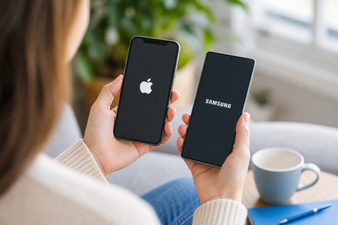
On iPhone, compatibility depends on your WhatsApp version and iOS support. Use the built-in multiple accounts feature if it’s available, or install WhatsApp Business as a second official app. Both options let you use two numbers on one phone without cloning WhatsApp Messenger. iOS has no built-in app cloning feature.
Android phones often offer more options. Many have a built-in feature for creating a second copy of an app. On Samsung phones, it’s often called Dual Messenger. The copy asks for your second number and a verification text. On iPhone, you can follow the WhatsApp Business steps. On Android, try the built-in multiple accounts feature first and use app cloning if it’s unavailable.
Start with the built-in option if you can. It uses less storage than a second app.
Using WhatsApp Business for a second number
WhatsApp Business is a good choice for keeping work and personal messages separate on an iPhone. Since iOS doesn’t offer app cloning, you can use this free business app to run a separate WhatsApp account alongside your existing app. It’s especially useful if WhatsApp Messenger on your iPhone doesn’t offer multiple accounts or you want to keep your work account in a separate app.
-
1
Download WhatsApp Business from the App Store on your iPhone. WhatsApp Business is also an option on Android.
-
2
Register your second phone number in WhatsApp Business. Enter the verification code sent to that number. Use an active number from a physical SIM card or eSIM so you can receive the text or call needed for verification.
-
3
Set up your profile and turn on automatic away messages so people get a reply when you’re out of hours. Mute notifications for your work account on weekends.

How does app cloning work for WhatsApp on Android?
Where do you find the app cloning option on your phone?
Android phones use different names for this feature, including Dual Messenger and Cloned Apps. If your phone doesn’t have a built-in option to clone WhatsApp, check whether the built-in multiple accounts feature is available in WhatsApp.
-
1
Open Settings on your Android phone and use the search bar to look for “Dual Messenger” or “Cloned Apps.”
-
2
Turn on WhatsApp in the list of supported apps. Your phone will create a second, independent copy of the app.
-
3
Open the cloned app, sign in with your second phone number, and confirm it using the verification code you receive.
You can now use two separate copies of WhatsApp without signing in and out to switch between them.
Frequently asked questions
What’s the downside of dual SIM?
Dual SIM can use more battery power because your phone manages two numbers. Work notifications can also come through after hours if you leave them on. Mute your work WhatsApp account on weekends.
Can I use one WhatsApp account on two phones?
Yes. With linked devices, you can use the same WhatsApp account on more than one phone. If you want two WhatsApp accounts on one phone, you’ll need two different numbers.
Can you use two WhatsApp accounts with dual SIM?
Yes. Use the built-in multiple accounts feature, WhatsApp Business, or app cloning on Android. For each account, you’ll need to be able to receive a verification text or call.
What kind of case should I get for a dual SIM phone?
Choose a hard case if you want a slim, rigid shell. A soft case wraps more flexibly around your phone. Look for raised edges that protect the screen and camera when you set the phone down, as well as corner protection, since corners often take the impact of a drop.
You can keep work and personal messages separate with the built-in multiple accounts feature, app cloning, or WhatsApp Business. Already set up your second WhatsApp account? Browse our phone cases with card holders on directcases.com to protect your dual SIM phone.