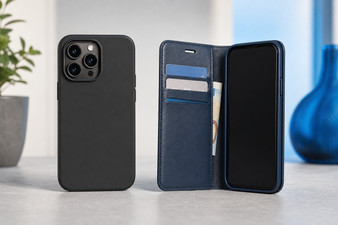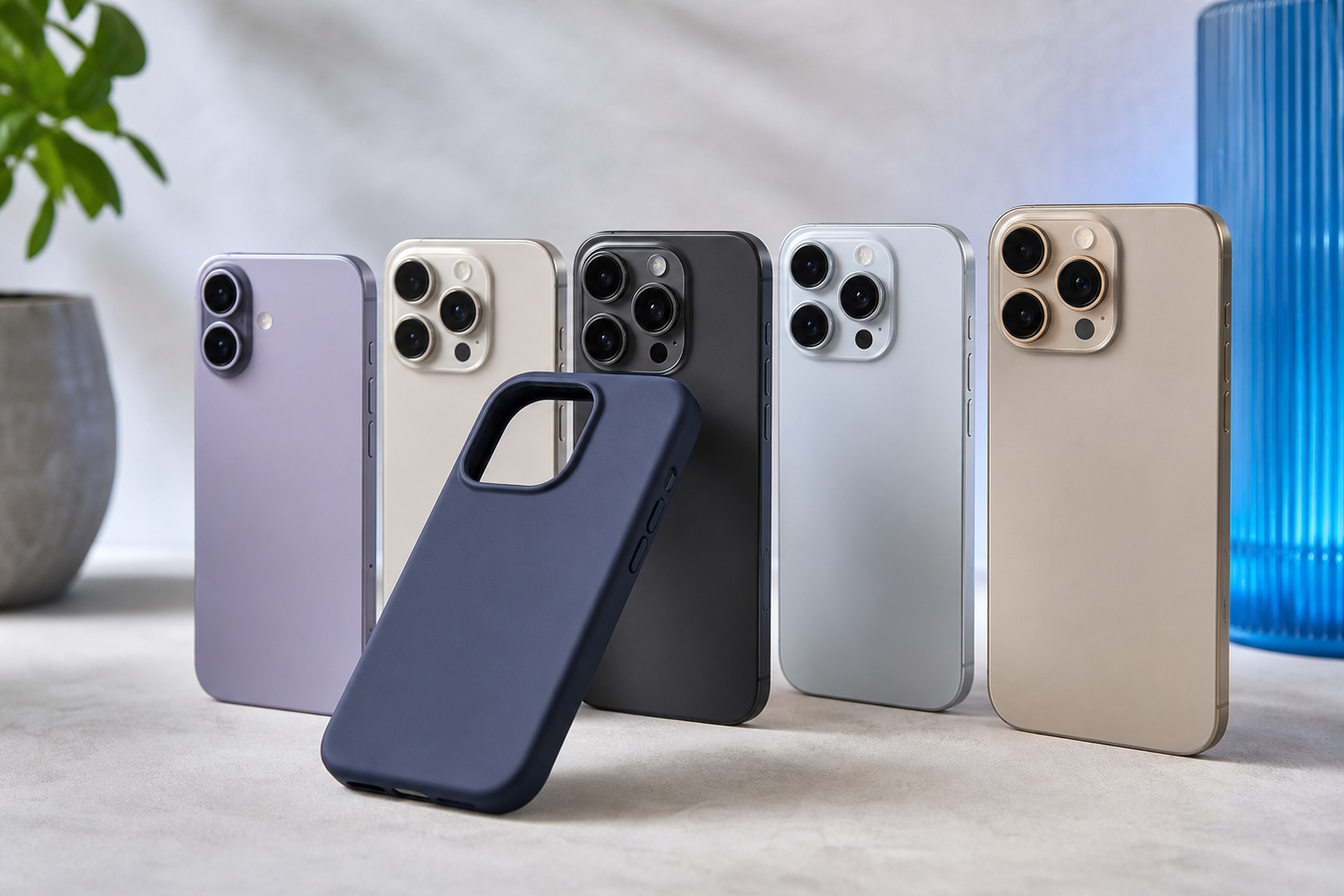
Does an iPhone 13 case fit an iPhone 14? When you buy a new iPhone, you might wonder whether you can keep your favorite iPhone case. Small design details often determine what fits. A difference of just 0.1 mm, a redesigned camera bump, or a new Action button can affect whether you can reuse your case. A poor fit can significantly reduce shock absorption or block the buttons. Check the exact specifications before trying to force a case onto a new phone, so you can still use the buttons and protect the device.
Why do some iPhone cases fit multiple models?
Can you use the same silicone case on different iPhone models? Length and width alone rarely tell you. Three design details matter:
Dimensions and edges: Some generations differ by just 0.1 to 0.2 mm, which barely affects the fit. An iPhone 11 Pro Max often fits in an iPhone XS Max case. Cases for the iPhone 11 and iPhone 12 aren't interchangeable because the iPhone 12 introduced flat edges.
Camera bump: The size and position of the camera bump often determine compatibility. Apple made the lenses larger starting with the iPhone 11, so the opening varies by model. An iPhone 12 Pro Max case often goes around an iPhone 13 Pro Max, while the larger camera on the iPhone 14 needs a back cover with a matching opening.
Buttons and MagSafe alignment: The Ring/Silent switch or Action button must line up with the openings in your old case. The side buttons moved slightly on the iPhone 15, so older cases can block them. MagSafe has also mattered since the iPhone 12. Apple designs cases for each model so magnetic accessories hold securely.
Which iPhone cases fit more than one model?
Apple releases accessories for each generation, though many back covers can be reused across models. Since MagSafe arrived with the iPhone 12, the built-in magnets also affect how a case works. The physical fit still comes first. Pro and Pro Max models almost always need a different case from standard models because their camera bumps have been significantly larger and thicker since the iPhone 11.
Compatibility |
iPhone models |
Fit notes and limitations |
|---|---|---|
Fully compatible |
iPhone 7, 8, and SE (2020/22) |
Matching dimensions allow all back covers to fit snugly. |
Fully compatible |
iPhone 11 Pro Max and XS Max |
The camera opening is identical, so the cases fit snugly. |
Partially compatible |
iPhone 13 and iPhone 14 |
The body fits, but the iPhone 14 has a slightly thicker camera bump. |
Partially compatible |
iPhone 12 Pro Max and 13 Pro Max |
An iPhone 12 Pro Max case often fits, but the lenses may not line up with the opening. |
Not interchangeable |
iPhone 11 and iPhone 12 |
The iPhone 12 has flat edges, while the iPhone 11 has rounded edges. |
Can you use the same silicone case on different iPhone models? It can work on older generations, but newer devices are trickier. For example, if you put an iPhone 14 case on an iPhone 15, the narrow Lightning opening can block the USB-C plug.
Full compatibility: iPhone 6 through iPhone SE (2020)
For these older Apple models, the answer is yes. The iPhone 6, 6s, 7, 8, and SE (2020) share the same dimensions and compact camera layout. The wider camera bump was introduced with the iPhone 11, so an older case won't cover the lens on these models.
The 0.1 to 0.2 mm difference in thickness is barely noticeable in use. Back covers sit snugly against the body without shifting and protect the phone. The volume buttons and charging port sit at the same height, so all the controls remain accessible.
This applies to the standard models and between the larger Plus models in this lineup. For example, you can use a sturdy iPhone 6 Plus case on an iPhone 8 Plus.
Why iPhone 12, 13, and 14 back covers often differ
Reusing back covers gets trickier with the newer flat-sided generations. iPhone 12 and iPhone 13 cases aren't interchangeable because the iPhone 13 has a wider camera bump and slightly lower side buttons. Forcing an older case onto the newer model can leave it pressing against the volume buttons.
Want to use your iPhone 13 case on an iPhone 14? Check whether the case manufacturer lists both models.
Exact dimensions matter even more for Pro models. These phones have much larger camera bumps than standard models, so you can't swap cases between them. Choose a case made for your Pro model to protect the protruding lenses from scratches on rough surfaces.
Cases for iPhone 15 and 16
Wondering whether the same silicone case can fit different iPhone models? If you're switching to an iPhone 15 or 16, the answer is no. Apple makes cases for each individual model in these generations, so you can't reuse an older case.
USB-C port: The iPhone 15 switched to USB-C, making cases with narrow Lightning openings unusable. The wider plug can catch even on a flexible iPhone 14 case.
New Action button: The iPhone 16 needs a different case design around the Action button. Older back covers lack the right opening or prevent you from pressing the button.
Vertical camera layout: The iPhone 16 cameras are stacked vertically, so an older case can cover the lenses.
MagSafe alignment: MagSafe has affected the choice of case since the iPhone 12. On the iPhone 15, the magnets need to line up precisely to hold newer accessories securely.
How to check whether your case fits
Unsure whether your old case fits after an upgrade? Check these points before you decide to use it every day.
-
1
Identify your exact iPhone model:
Go to Settings > General > About to find the model name. Several generations are similar in size, so check the name shown there.
-
2
Inspect the camera bump:
Check the camera opening and make sure it doesn't cover the lenses. The lip of the case should rise at least 1 mm above the camera glass all the way around.
-
3
Test the physical buttons:
Make sure the volume buttons and Ring/Silent switch are easy to operate. A case that presses lightly on a button can set it off in your pocket.
-
4
Check the connections:
Check that your cable can plug in fully and that your MagSafe accessories still attach securely through the back of the case.
If any of these four checks reveals a problem, replace the case. Avoid a case that weakens the magnetic connection, since your phone could slip off a car mount.
Frequently asked questions about iPhone case compatibility
Can you use the same silicone case on different iPhone models?
Usually not on newer generations. Apple has made the camera bump larger almost every year since the iPhone 11, so the opening in an older back cover can block the lenses on a newer phone. For example, an iPhone 14 Pro silicone case won't fit an iPhone 15 Pro.
Will my current case fit the iPhone 15?
No. The move to USB-C and the changes to the side buttons mean the iPhone 15 needs a different fit. Apple designs its cases for individual iPhone 15 models.
Which iPhone models are compatible with an iPhone 12 case?
Besides the iPhone 12 itself, a standard iPhone 12 case fits only the iPhone 12 Pro. The iPhone 12 has flat edges and the iPhone 11 has rounded edges, so cases aren't interchangeable. A wider camera bump and lower buttons also prevent the case from fitting the iPhone 13 or iPhone 14.
Are iPhone Pro Max cases interchangeable?
Sometimes, depending on the generation. An iPhone 11 Pro Max case often fits the older iPhone XS Max. An iPhone 12 Pro Max back cover often fits the iPhone 13 Pro Max too, though the camera opening may not line up and the MagSafe magnet may sit slightly off center.
Some older iPhones share the same dimensions. Redesigned cameras, the Action button, and USB-C ports can make cases incompatible across newer models. Even a fraction of a millimeter can determine whether you can use the buttons and whether the lenses are protected from scratches. Reusing an older case on a current flagship often causes more trouble than it saves. Check your exact model number in Settings and choose a case that fits.
Buy iPhone cases at directcases.com
At directcases.com you'll find iPhone cases for every model, from back covers for the latest iPhones to rugged cases and wallet cases with room for your cards. Browse all iPhone cases and order one that fits your phone.