An IMEI number is a unique 15-digit code that identifies your phone. You can use it to ask your carrier to block a stolen phone, make a claim under the manufacturer's warranty, or check your exact phone model.
Enter a short dialing code or open your phone's settings to display the IMEI. Keep the number somewhere safe.
What does IMEI stand for?
Why does your smartphone need such a long string of digits?
IMEI stands for International Mobile Equipment Identity. The manufacturer assigns this unique identifier during production. It stays with your phone even after a factory reset.
An IMEI is generally 15 digits long worldwide. It usually has three parts: a code for the device type and manufacturer, a serial number, and a check digit. The first 14 digits identify your individual device and provide information about its manufacturer and model. The 15th digit helps detect typing errors when someone enters or shares the code manually.
The IMEI identifies the device itself. It is separate from your phone number, SIM card, and personal information. It is tied to the phone's cellular hardware. If you change carriers or sell your phone, your phone number goes with your SIM card, while the IMEI stays with the device.
What can you use an IMEI number for?
In practice, you will mostly use the code for security and recordkeeping.
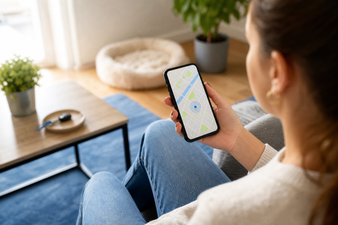
You can use the IMEI to report a lost or stolen phone to your carrier and the police. Register your device and IMEI with your insurer in advance if your policy requires it. You may need the code to report theft or damage. Check your policy for the exact requirements. Give the IMEI to your carrier and ask whether it can block the device using that number. Depending on the blocklist system it uses, your carrier may be able to stop the phone from accessing cellular networks. If the phone was stolen, file a police report and include the IMEI. Ask your carrier to suspend the SIM right away as well. Blocking the device by IMEI does not suspend the SIM. You cannot use the IMEI to track your phone live on a map yourself. Police can use IMEI data as part of an investigation. To look for the phone yourself, use the device's location feature.
When buying a used phone, you can check whether its IMEI is listed as blocked. Compare the IMEI on the screen with the number on the original box or the device label. If they do not match, skip the purchase. A blocked or altered IMEI can cause problems connecting to cellular networks.
You can use the IMEI to request a repair or make a warranty claim. Manufacturers use it to check the region in which the device was sold and whether the warranty is still active. Insurers often ask for it to identify the device when you file a claim for damage or theft. Write down the IMEI before sending your phone in for repair. When you get it back, dial *#06# to check that the number still matches. A dual-SIM phone can display more than one IMEI, so make sure you provide the right one.
You can also check whether a phone is unlocked before you buy it. Buyers often use the IMEI to check whether a phone bought from a private seller will accept their SIM card. An IMEI check can also show the model and the cellular networks it supports. That can help you decide whether it suits your needs.
Share your IMEI only with people or organizations that need it, such as your carrier, insurer, or repair shop. The code does not contain photos, messages, or passwords. Keep it out of public listings and social media posts.
How can the IMEI help you choose the right phone case?
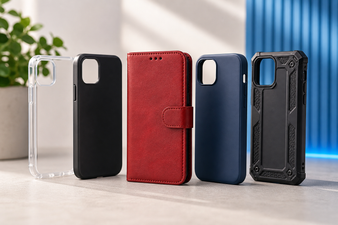
You fit your phone into a new case, but the volume button cutouts are a millimeter too high. You may have bought a case for another phone in the same series when you have the Plus model or a different variant. Manufacturers often release several models in one series that look almost identical.
An online IMEI lookup can help you identify the exact model. Choosing a case made for that model helps you get the right button and camera cutouts and avoid a return.
Once you know your model, you can order compatible accessories from directcases.com. Always check that the phone case or screen protector is made for your exact model.
Look up your IMEI and keep it safe in a password manager or on a piece of paper. A sturdy phone case can help protect your device if you drop it on the street. With an intact screen, you can look up the number in Settings and share it with your insurer or repair shop.
How do I find my phone's IMEI number?
Have your phone handy to look up its unique identifier.
-
1
Open the Phone app and enter star, pound, zero, six, pound. The IMEI appears as soon as you enter the last character. You do not need to tap the green call button.
-
2
On your iPhone, go to Settings, then General, then About. Scroll down to the IMEI and touch and hold the number to copy it.
-
3
On Android, open Settings, tap About phone or Status, and copy the code. The menu names may vary by manufacturer. Look for IMEI under your device information.
-
4
Save the code in a secure password manager. Keep it somewhere you can reach without your phone in case you lose it or the screen stops working. Write down the IMEI before resetting or selling your phone too.
How do I find my IMEI number without my phone?
If your phone was stolen or no longer works, you may still be able to find the number on the original box or online. Start with the packaging if you still have it. Manufacturers usually put a label with a barcode and the 15-digit IMEI on the outside of the box.
If you threw out the box, look for your receipt or contract with your carrier. These documents can help you find purchase and device information, though they may not list the IMEI. Check them before looking elsewhere.
If you cannot find the paperwork, check the account linked to your phone. Sign in to your Apple ID or Google Account in a browser on a computer or tablet. Open your account settings and find the list of linked devices. Select the missing or broken phone to see its IMEI. You can then give the number to the police or your insurer.
Frequently asked questions
Can you track a phone using its IMEI number?
No. You cannot use the IMEI yourself to follow a phone live on a map. Carriers and police can see which cell tower the device connects to, but they use this information only in investigations. To look for a missing phone yourself, use a built-in tool such as Find My iPhone or Find My Device.
Is your IMEI number linked to your SIM card?
No. The IMEI is tied to the device itself. Removing the SIM card or switching carriers does not change it. The number identifies the phone hardware and is separate from your phone number and plan.
Is an IMEI number the same as a serial number?
They are separate codes. Manufacturers use serial numbers for records such as production batches and returns. The IMEI is designed for cellular networks. A Wi-Fi-only tablet has a serial number but no IMEI because it does not take a SIM card.
How long is an IMEI number?
An IMEI is generally 15 digits long. The first 14 digits hold device information and identify your specific device. The last digit is a check digit. In your phone's settings, you may see the digits grouped with hyphens to make them easier to read.
This 15-digit code is useful for securing your device and choosing phone cases. On your phone, enter star, pound, zero, six, pound. Once you know your exact model, you can order compatible protection for it from directcases.com.