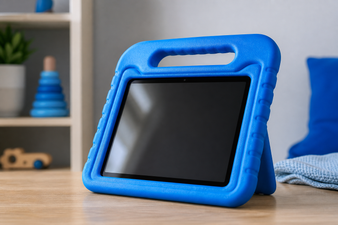
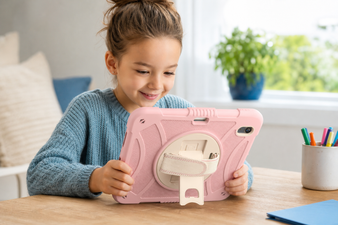
Have you bought a kids case for your tablet, but you're not quite sure how to fit your tablet into it? On this page, we'll walk you through exactly how to put a tablet into a kids case the right way, using an instruction video and a written step-by-step guide.
Step-by-step guide: how to put a tablet in a kids case
-
1
First, remove the black plastic frame that comes inside the kids case. The manufacturer puts it there to keep the case in shape during shipping, but you need to take it out before you can fit your tablet.
-
2
Is your tablet still in another case? Take that off first before you put your tablet in the kids case.
-
3
Next, work out which way round the tablet needs to sit in the case, so you can fit it correctly in one go. Check, for example, where the cut-outs in the kids case are for your tablet's speakers, charging port, buttons and camera.
-
4
Lay the kids case flat on a table, hold your tablet by the top edge and rest the bottom edge at an angle inside the kids case. (See video)
-
5
Using a twisting motion, slide the two bottom corners of your tablet into the matching corners of the kids case, while holding the case with your other hand. It's important to push the tablet as far into the corners as possible and press it in firmly.
-
6
Now push the edges of the kids case around the sides of your tablet.
-
7
Finally, use both hands to press the remaining two corners of your tablet into the kids case one at a time, and you're done!
Buy kids cases at directcases.com
Haven't got a kids case for your tablet yet, but would like one? Our range includes lots of great kids cases for a variety of tablets, so directcases.com is the right place for a kids cover. Order an iPad kids case or a Samsung Galaxy Tab kids case, for example, so you can let your children use your expensive tablet with peace of mind, without it getting damaged. Just look up your tablet first, then browse the kids covers available for your model.
FAQs about fitting a kids case
How do you put an iPad in a kids case if it already has a screen protector?
Just leave the screen protector on and press the edges of the kids cover over it very carefully. Make sure you pull the edge of the kids case slightly outwards while fitting it, so the stiff material doesn't lift the glass or film.
Why doesn't my tablet fit properly in the case?
This is often because the shipping frame is still inside the new kids cover. Also check whether you've left an old back cover on, and make sure you've actually bought the right kids case for your specific tablet model.
Can I easily take the tablet out of the kids cover for maintenance?
Yes. Peel the top corners of the kids case back first, and the device comes out fairly easily. Don't do this too often, though: the EVA foam of a kids cover can stretch slightly over time if you remove the tablet every week.
Can I pull the tablet out of the case by the handle?
No, never pull on the handle to remove the tablet. Because the handle is attached to the flexible shell, you could tear the kids cover or send the tablet flying if it suddenly comes loose.
Does a kids cover affect the sound quality?
No, a well-designed kids case has dedicated cut-outs for the speakers. Line the tablet up correctly when fitting it, so the sound isn't blocked by the thick foam of the kids cover.