Is public Wi-Fi safe? Free Wi-Fi saves mobile data, but someone on a public network may be able to read unencrypted traffic.
The main pros and cons of free Wi-Fi
You can stream videos and download files over Wi-Fi when you’re out. The table lists the benefits and risks.
Voordelen
- Save mobile data right away
- Stay connected wherever Wi-Fi is available
- Download large files at no charge
Nadelen
- High risk of data theft by cybercriminals
- Unsecured traffic is relatively easy to intercept
- You could join a fake network without realizing it
Is an unsecured Wi-Fi network dangerous?
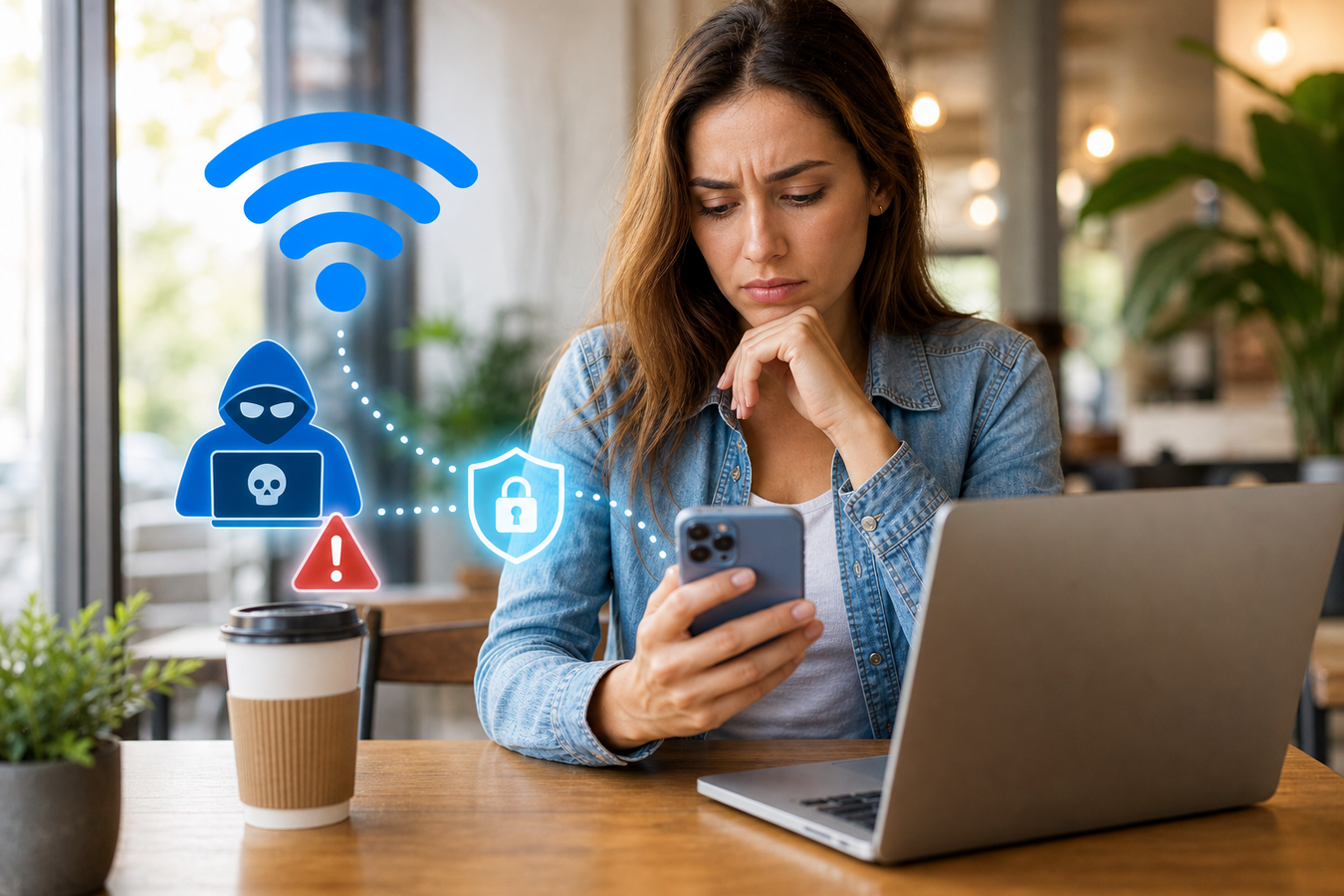
Public Wi-Fi carries risks such as data theft, phishing, and fake sign-in pages. Cybercriminals often use what are called man-in-the-middle attacks to position themselves between your mobile phone and the Wi-Fi router without your knowledge. Good network security reduces the risks of public Wi-Fi, but an open network remains a weak point.
Entering personal information is especially risky if someone is monitoring the connection. Without adequate encryption, cybercriminals can intercept unencrypted traffic relatively easily. They can also manipulate traffic, for example by redirecting you to a fake sign-in page. Think of the passwords, work emails, or credit card details you might type while waiting for your train. If stolen, that information can be used to take over your accounts or commit identity theft.
Without extra protection, there’s also a risk of malware, especially from a malicious download or a fake sign-in page. A single intercepted sign-in session can give someone access to sensitive data.
How can you spot an unsafe or fake Wi-Fi network?
You’re at the train station and open your mobile phone’s Wi-Fi settings. You see “NS-FreeWiFi” with “NS_Free_WiFi” right below it. One of them is probably a trap.
A fake Wi-Fi network like this is known as an evil twin. It mimics a real hotspot. If you connect to it, the network operator can route your internet traffic through their own system. Here’s what to check:
Ask staff for the exact network name. An extra space or a different dash can distinguish the real network from a fake one.
A password doesn’t guarantee that a network is safe. An open network may be legitimate, too. Confirm its name with staff.
Be cautious about generic names such as “Free Public WiFi.” If you see two nearly identical names, don’t connect to either one.
Be wary of an unfamiliar sign-in screen that asks for your main account, password, or other personal information. Fake sign-in pages can look convincing.
Take certificate warnings seriously. Disconnect if your browser shows one.
Can someone on the Wi-Fi network see what you search for?
Check your browser’s address bar before entering anything. A padlock by the web address indicates HTTPS, which encrypts the connection between your device and the website. Someone on the same network may be able to tell which website you visit, but they can’t see which page you read or which password you enter over that encrypted connection.
Without a VPN, an attacker can read unencrypted traffic. If you visit a website that lacks that protection, your searches and personal information can travel in plain text. Some mobile apps may also send data without encryption when you’re connected to free Wi-Fi.
Turn on a VPN for extra protection when you use an unfamiliar hotspot. It encrypts traffic between your device and the VPN server, even when the website or app lacks its own encryption.

How can you use free Wi-Fi safely on your smartphone?
Your mobile phone’s default settings prioritize convenience, sometimes at the expense of data security. Start with these three changes:
-
1
Turn off automatic connections in the Wi-Fi settings on your iPhone or Android mobile phone. Otherwise, your device may reconnect to networks you’ve used before in the background. Fake hotspots can use familiar names, so your device may connect without you noticing. Turn off file sharing as well to limit access to files from other devices on the same network.
-
2
Use a VPN (virtual private network) for extra encryption on free Wi-Fi. Open your VPN app first after entering the public network’s password. A VPN makes it harder to intercept your traffic, but it can’t protect you from a fake sign-in page or a malicious link.
-
3
Check for HTTPS and the padlock in your browser’s address bar before entering personal information. Avoid entering passwords on public Wi-Fi, even if the page looks familiar. Shield your screen from people nearby while you work. Turn on two-step verification, also called two-factor authentication, for important accounts to reduce the risk of someone accessing them if they get your password. Keep your iPhone or Android mobile phone up to date, since security updates fix known weaknesses.
-
4
Use your personal 4G or 5G hotspot as a safer alternative to public Wi-Fi, especially when checking your bank balance or work email. On your mobile phone, switch off Wi-Fi and use mobile data. It uses some of your data allowance, but it avoids the risks of public Wi-Fi.
-
5
Forget the public network in your Wi-Fi settings when you’re done. Your mobile phone will then stop reconnecting to that hotspot automatically.
Frequently asked questions
Is my Wi-Fi network safe?
Public Wi-Fi always carries some risk. Many websites have basic security in place, but you may still run into a fake hotspot. Assume there are risks when joining a network without a password.
Can someone monitor what you do over Wi-Fi?
Yes. On an unencrypted website, someone monitoring the network can read your searches and passwords in plain text. HTTPS or a VPN can hide that traffic from others on the local network.
Can I use free Wi-Fi for online banking?
Use mobile data for online banking. Fake sign-in pages in public places can steal banking details or login credentials. Use your own mobile data plan for financial matters, taxes, or important work emails.
How can I spot a fake Wi-Fi network?
Check the name on your screen carefully. A fake network may use a name that’s slightly different from the official one, such as “Hotel-Wifi.” Ask at the front desk or check with your server before connecting.
Is a password-protected public network safer?
A shared password alone doesn’t guarantee a private connection. Other guests at the café or hotel have the same password and can join the same network. Someone with that password may still try to monitor your traffic.
Free Wi-Fi can help you save mobile data. Stay alert and adjust your settings to protect your personal information. Start by turning off automatic connections on your mobile phone. Find more mobile security tips at directcases.com.