What is data roaming, and what should you watch out for? Roaming is when you use a foreign mobile network to get online, make calls and send texts through your own provider. In the EU, usage comes out of your plan at no extra charge. Outside the EU, rates per MB are often much higher.
Check your data roaming settings before you travel. The right settings can help you avoid a large bill and keep unnoticed data use from draining your battery halfway through the day.
What's the difference between mobile data and roaming?
What happens to your phone when you cross the border?
At home, you get online using regular mobile data. Your device connects directly to your provider's network through its local cell towers.
Abroad, you lose that signal and roaming kicks in. Your SIM connects to your home provider through a foreign network. Your phone looks for a local partner network and connects to it automatically so you can still make calls and send texts.
Roaming covers calls, texts and internet use on that foreign network. Mobile data refers to internet access. At home, you use mobile data on your own network. Abroad, that same internet use is called data roaming.
Data roaming is the part that lets you use mobile internet abroad. It lets you use WhatsApp, find your way with a navigation app and download app updates in the background. Turning it off blocks internet access through the foreign mobile network. You can still make and receive calls.
That distinction is useful outside the EU. You can keep your number for verification texts and calls while turning off mobile internet to avoid surprise charges from photo uploads, updates or social media. In the EU and EEA, data roaming usually comes out of your regular plan, although unlimited plans can have fair use limits.
What are the roaming rules and charges inside and outside the EU?
Since June 15, 2017, the EU's Roam Like at Home rules have generally let you use your own plan abroad without extra roaming charges. The rules cover temporary stays such as vacations and business trips and also apply in the EEA. Your calls, texts and data still count toward your allowance. Check in advance that your SIM or eSIM supports roaming and that calls, texts and data are available. If you're traveling outside Europe, choose a device that supports multiple network frequencies.
| Destination or situation | Rules and charges |
|---|---|
| Within the EU and EEA | Data, calls and texts come out of your regular Dutch plan at no extra charge. Your provider may ask for an explanation if you use your plan abroad for an extended period. If you use roaming services abroad more than you use them at home over four months, your provider may charge extra. |
| Unlimited data plan | Check the fair use policy. Does your full unlimited data allowance apply abroad? Providers can set a separate roaming data limit. They often set a strict limit and send a warning when you reach 80% of it. Going over the limit costs extra. In 2024, the maximum rate providers could charge was €1.55 per GB. |
| Destinations outside standard coverage | Popular destinations such as Turkey, Switzerland, the UK, Aruba and Curaçao often fall outside EU roaming benefits. Out-of-plan charges can be high. Turn on data roaming only once your provider has confirmed which travel plan and rates apply. |
| On a ferry or plane | International ferries and planes can use satellite networks. These are outside EU roaming rules and can incur high charges. Turn off data roaming if you don't know the rate. Your phone can connect to a satellite network without you noticing, even near the coast. |
Should you turn data roaming on or off when traveling?
You land at your destination, switch off airplane mode and messages start coming in. Your phone can run up charges before you realize it.
In the EU, you can usually leave data roaming on. Outside the EU, it's generally best to switch it off. If your plan has enough data for an EU trip, you can keep browsing and using navigation as you would in the Netherlands. After you arrive, check that mobile data and calls work.
If you have unlimited mobile data, check your provider's fair use policy first. A separate roaming limit can still apply.
If you're traveling outside the EU or to a destination such as Turkey or Switzerland, switch data roaming off before you get off the plane. Aruba and Curaçao are often outside standard EU coverage too. Turning data roaming off keeps apps from immediately using costly data in the background.
Do the same on a boat or plane. Satellite connections fall outside discounted plans and can be expensive.
Switching data roaming on or off only affects mobile internet. Whether calls and texts work depends on your regular roaming settings, your provider and the available network.
How to set up roaming on iPhone and Android
Check your phone settings before getting off the plane or crossing the border. The menu varies by operating system. Use a stable network setting outside the Netherlands and keep your device up to date for better network compatibility.
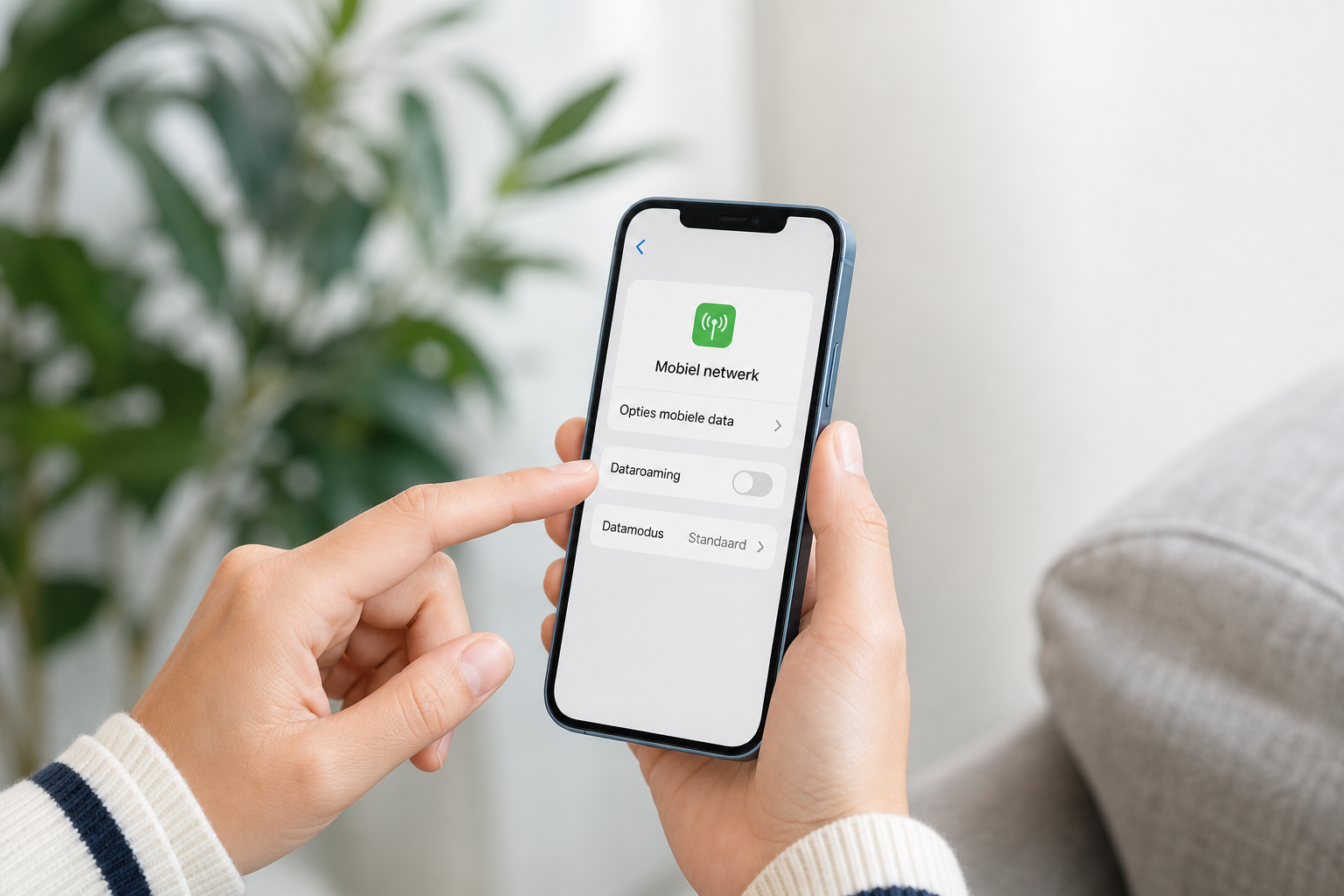
On an iPhone (iOS):
-
1
Open Settings and tap Cellular.
-
2
If you use two SIMs or an eSIM, choose the line you use for mobile data first.
-
3
Tap Cellular Data Options.
-
4
Switch Data Roaming on or off. Turn it on in the EU if your plan has enough data, and keep it off by default outside the EU.
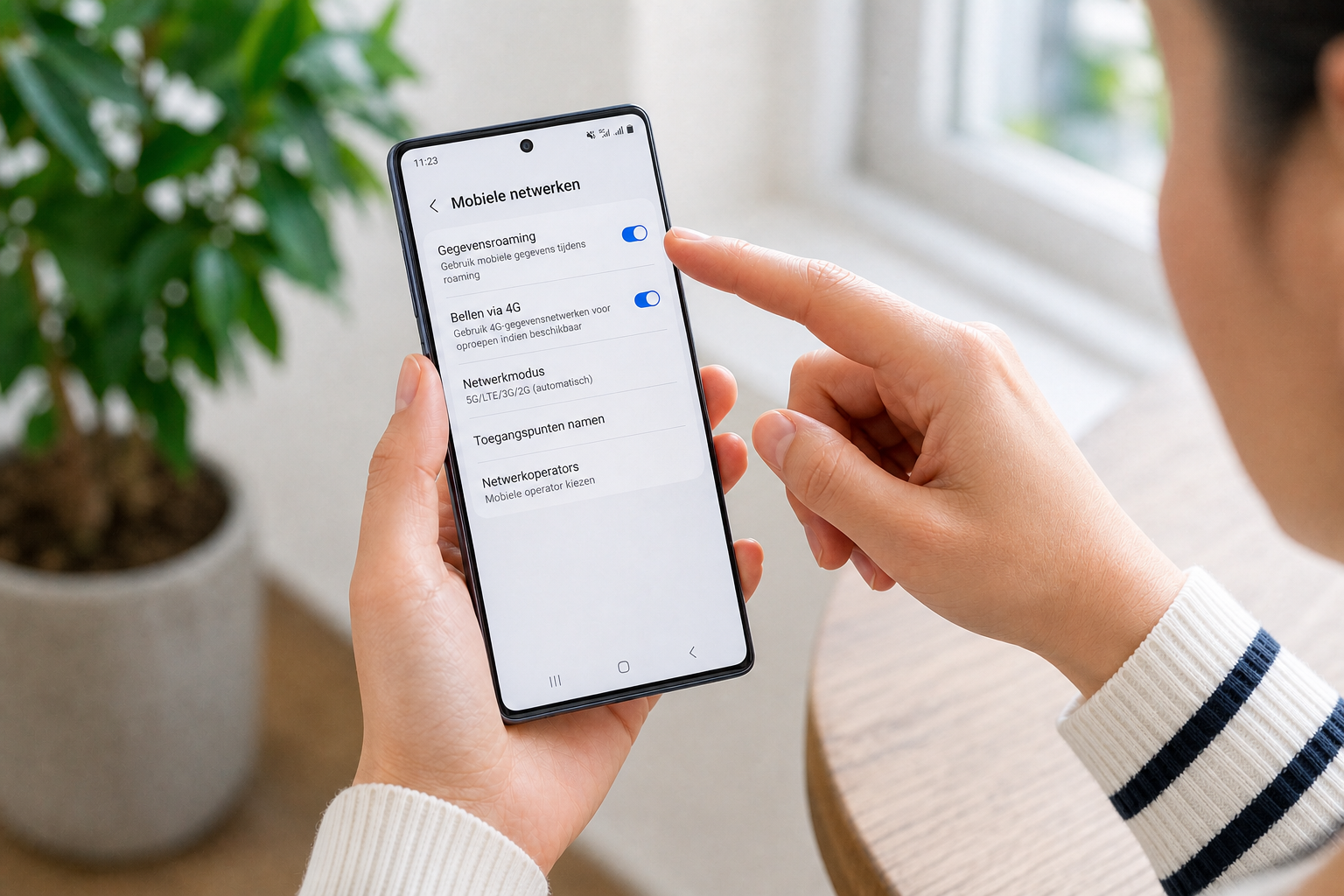
On a Samsung or other Android phone:
-
1
Open Settings and tap Connections. On some Android versions, it's called Network & internet.
-
2
Tap Mobile networks.
-
3
Switch Data roaming on or off.
-
4
If you see more than one SIM, check which one you use for mobile data so you change the setting on the correct line.
After you switch data roaming off, you may still see 4G or 5G in the status bar. This shows that your phone can see a network. With data roaming off, it won't use mobile data on that network.
Apps can still upload photos and refresh over Wi-Fi. Set automatic app updates and photo backups to Wi-Fi only to limit data use. Calls and texts remain available because data roaming only affects mobile internet.
How can you avoid roaming charges and save battery life?
Data roaming outside the EU can be expensive, and a weak roaming signal can drain your battery faster. A few settings can help reduce background use.
Turn off background data for individual apps. Automatic photo uploads, app updates and social media can use data in the background. Change settings app by app so essentials such as WhatsApp stay available. Set photo apps to upload over Wi-Fi and turn off automatic refresh for social media. Save roaming for essential tasks such as navigation or sending a message.
Outside Europe, choose a local physical SIM or an eSIM. This can cost much less than using your Dutch plan. Check your provider's rates and travel plans before leaving, and turn on data roaming only if the plan covers your destination. Download offline maps for your route while connected to public Wi-Fi. Avoid sensitive activities such as banking on public Wi-Fi if you aren't using extra protection.
Turn off data roaming on boats and planes. Your phone can connect to satellite networks that are outside your regular plan and may carry high charges. Check the price before using Wi-Fi. Airplane mode is the safer choice if you don't need a signal.
Keep your battery from running flat. Constantly searching for foreign networks or holding on to a weak roaming signal can drain your battery faster. Turn off mobile data when you only use Wi-Fi, and select a network manually if necessary. Pack a sturdy Mobigear power bank for your trip.
Frequently asked questions
Should you turn off data roaming?
Yes, keep data roaming off by default when traveling outside the EU, including in Turkey, Switzerland, Aruba and Curaçao. You can usually leave it on within the EU. Switch it off if you receive a text saying you're close to the fair use limit on your unlimited plan.
Can I receive calls with roaming turned off?
Yes, you can still receive calls. Turning off data roaming on your phone only stops the mobile internet connection. Calls and incoming texts use the regular mobile network and still work abroad.
What are the downsides of roaming?
The main downsides are high bills outside Europe and shorter battery life. Without a travel plan, you can pay high per-MB rates outside the EU. Your phone also keeps looking for the best signal when you're abroad, which can use a lot of power.
Does mobile internet cost extra within the EU?
Since 2017, you can use your Dutch plan in the EU without extra charges. Data, calls and texts come out of your plan. Providers can set a separate limit if you have a very inexpensive or unlimited data plan in the Netherlands.
What happens if I go over my fair use limit?
You'll pay a set amount for each additional MB or GB you use. The surcharge can't exceed EU legal limits, but it can add up. Your provider must send a warning text when you reach 80% of your roaming allowance.
Can I always use my Dutch SIM abroad?
The rules are designed for temporary trips and vacations. If you spend more time on a foreign network than on your home network over four months, your provider treats it as a permanent stay and may charge extra after warning you.
Whether to switch data roaming on depends on your destination and provider. Limit background data use in advance to avoid surprises. Traveling soon? Find travel accessories and power banks at directcases.com to keep your phone charged. Open your provider's app to check your current travel plan.