Losing your dog or cat is every pet owner's nightmare. An Apple AirTag for dogs or cats might seem like an inexpensive way to track your pet from your phone. Here's how it works, what safety risks to consider and when a dedicated GPS tracker might be a better choice.
How do you track your pet with an Apple AirTag?
An AirTag has no built-in GPS chip. Instead, it broadcasts a secure Bluetooth Low Energy signal. It relies entirely on Apple's Find My network to report its location.
An iPhone, iPad or Mac needs to be nearby. When someone else's Apple device detects the tracker, it sends its location to your iCloud account. You can then see roughly where your dog or cat is on the map.
Pros and cons of using an Apple AirTag for pets
Before attaching a Bluetooth tracker to your pet's collar, weigh up these points.
No monthly subscription and long battery life: You pay once, with no ongoing fees. The standard coin cell battery lasts more than a year and costs a few euros to replace yourself.
Compact and lightweight: At just 3.19 centimetres across and 11 grams, the AirTag is barely noticeable on your pet's collar.
Works best in densely populated urban areas: If you live in a busy neighbourhood, you're more likely to get a location update because there are more iPhones nearby.
A beep may startle your pet: Apple has built in an anti-stalking feature. Once the tracker has been away from its paired iPhone for about three days, it starts beeping when moved.
AirTag vs GPS tracker: which is better for your dog or cat?
Choosing between an Apple AirTag and a dedicated GPS tracker for pets? The differences can affect your pet's safety if they go missing.
Kenmerk |
Apple AirTag |
Dedicated GPS tracker |
|---|---|---|
Location |
Relies on passing iPhones via Bluetooth. |
Works independently worldwide using GPS satellites. |
Updates |
Updates only when a device picks up the signal, with no live tracking. |
Tracks in real time, with updates every two to three seconds. |
Design |
Designed for keys and bags. Requires a separate AirTag holder. |
Designed for active pets. Hard-wearing and often built into the collar. |
Cost |
One-off purchase of around €35, with no ongoing costs. |
Higher upfront price plus a required monthly subscription for the SIM card. |
Choose an AirTag if you live in a busy city, your pet rarely strays far and you want a low-cost backup for emergencies. Avoid using one if you walk in the woods every day or your dog has a strong prey drive.
Choose a dedicated GPS tracker if your dog or cat tends to escape and you want to know their exact location wherever they go.
How do I attach an AirTag to my pet?
If you want to track your pet with an AirTag, make sure they won't lose it while they're out. There are several ways to attach it.
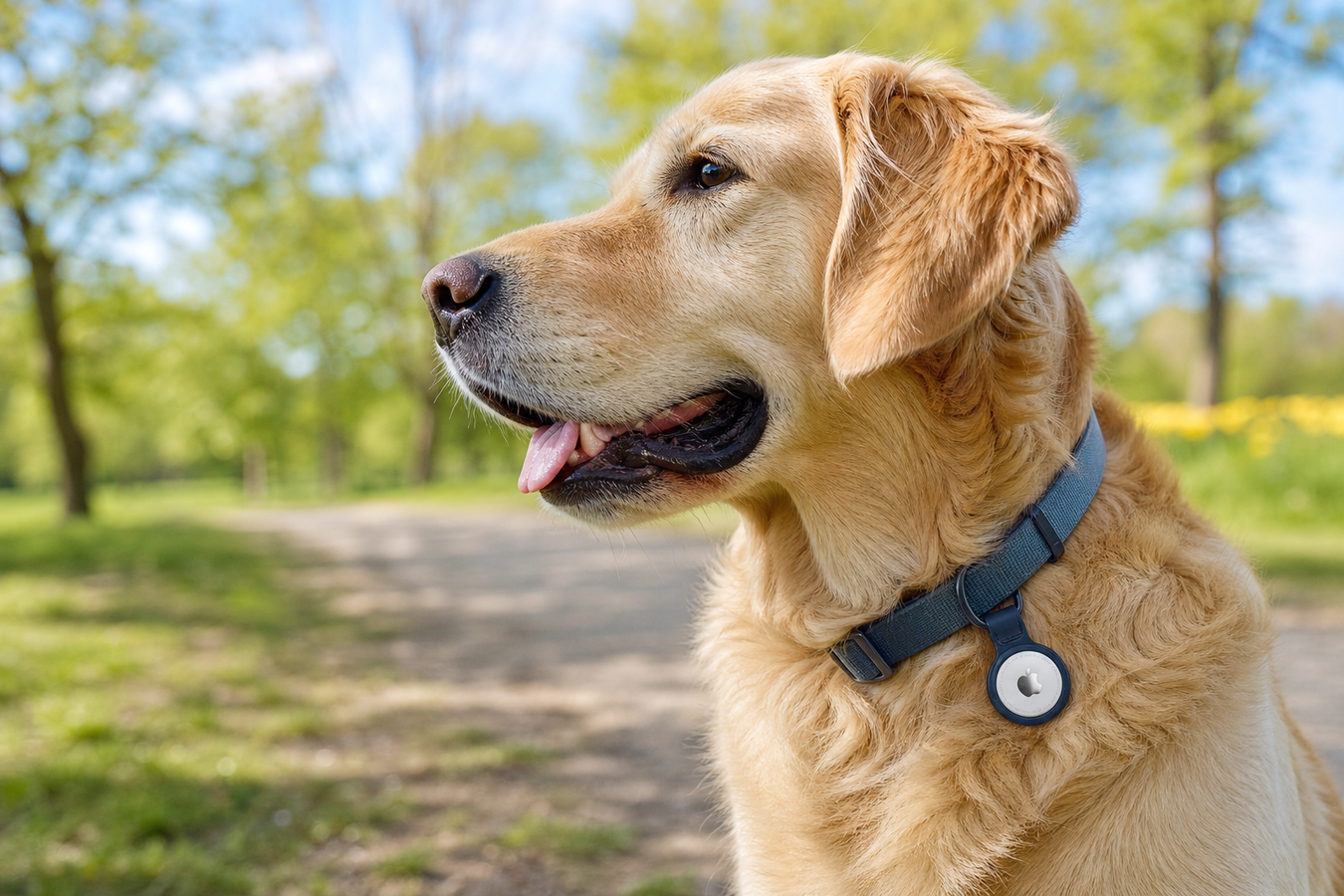
For example, you could put the tracker in an AirTag keyring holder. Attach the holder to your dog or cat's collar with a carabiner or split ring to keep it in place. AirTag keyring holders come in a range of designs, colours and materials.
You can also buy a dedicated AirTag collar for your dog or cat. It has a built-in compartment that holds the tracker securely. The collar is adjustable to fit dogs or cats and comes in several colours.
Safety risks to watch for
Attaching any electronic device to your pet carries risks. The main concern with an AirTag is that your pet might swallow it. Dogs can chew on it if it dangles from a ring, or accidentally swallow it whole while playing or scratching.
Use a dedicated AirTag collar for your dog or cat. It has a separate compartment to hold the tracker securely.
A secure holder fits snugly against the nylon or leather and doesn't dangle. That keeps it out of reach of your pet's teeth and holds it in place even if your dog runs through thick bushes.
How to set up an AirTag and attach it securely
If you're using the tracker as a backup, follow these steps to set it up and attach it safely.
-
1
Pair the tracker with your iPhone:
Hold the AirTag next to your phone, open the Find My app and follow the instructions on the screen. Give the tracker your pet's name so you can recognise it.
-
2
Choose a chew-resistant holder:
Put the AirTag in a sturdy silicone or leather holder. Slide it onto the collar so it lies flat, with no loose parts sticking out.
-
3
Test the range in your neighbourhood:
Go for a walk near home. Check how often the app updates the location and where it stops picking up a signal.
-
4
Check it every week:
Look for cracks or bite marks on the holder. Check that the tracker is still firmly attached and has enough battery power in the app.
Common questions about AirTags and pets
Can I find my runaway dog in the woods?
You're unlikely to find your dog this way in woodland. A passer-by with an iPhone needs to come within 30 metres for the location to update. In remote areas, too few people pass by to pick up the signal reliably.
Is the AirTag water-resistant enough for dogs that swim?
Yes. The tracker has an IP67 rating, which means it can withstand water at a depth of one metre for up to 30 minutes. The quality of the holder matters because a poor one can trap mud and dirt, which could damage the speaker or battery cover.
Can I turn off the AirTag when it starts beeping?
No, you can't turn off the sound manually. It's a built-in Apple feature designed to prevent stalking. For your dog or cat, that means the tracker will beep when moved after three days away from your phone.